CONNECT AI, NOW ON
Alongside GitHub and Figma, meet Connect AI.
 CONNECT AI

Your export sales context, inside ChatGPT.
SEE THE CONVERSATION
Start with a question.
From buyer priorities to team briefings, choose a question and see how the conversation unfolds.
This conversation is recreated with fictional data to explain the features. It does not show results from a customer account.

An illustrative example, with no real customer information. No questions or data are sent from this demo.
Read the full conversation
Question
Connect AI, which buyers should I pay attention to now?
Example answer
Here are buyers to review first, based on recent interest signals.
Retrieved information: Opened the product brochure 3 times.
Suggested next step: Review the previous conversation and ask which products interest them.
Retrieved information: Recently opened the product introduction link once.
Suggested next step: Check whether the product information was useful.
Opening a brochure does not confirm buying intent. Check actual interest and timing in your conversation.
Sample data · Interest signals from the past 7 days
ONE WORKFLOW, THREE ROLES
Talk in ChatGPT. Bring your Connect AI context.
From question to information to a decision. Each has a role in the workflow.
- 01
ChatGPT
Ask in your own words and organize the information through conversation.
- 02
Connect AI
Retrieve information from your connected account and selected company.
- 03
Your team
Review the retrieved information and suggestions, then decide what to do next.
GET CONNECTED
Connect AI, inside your ChatGPT.
Have your Connect AI account ready, then start the connection in ChatGPT.
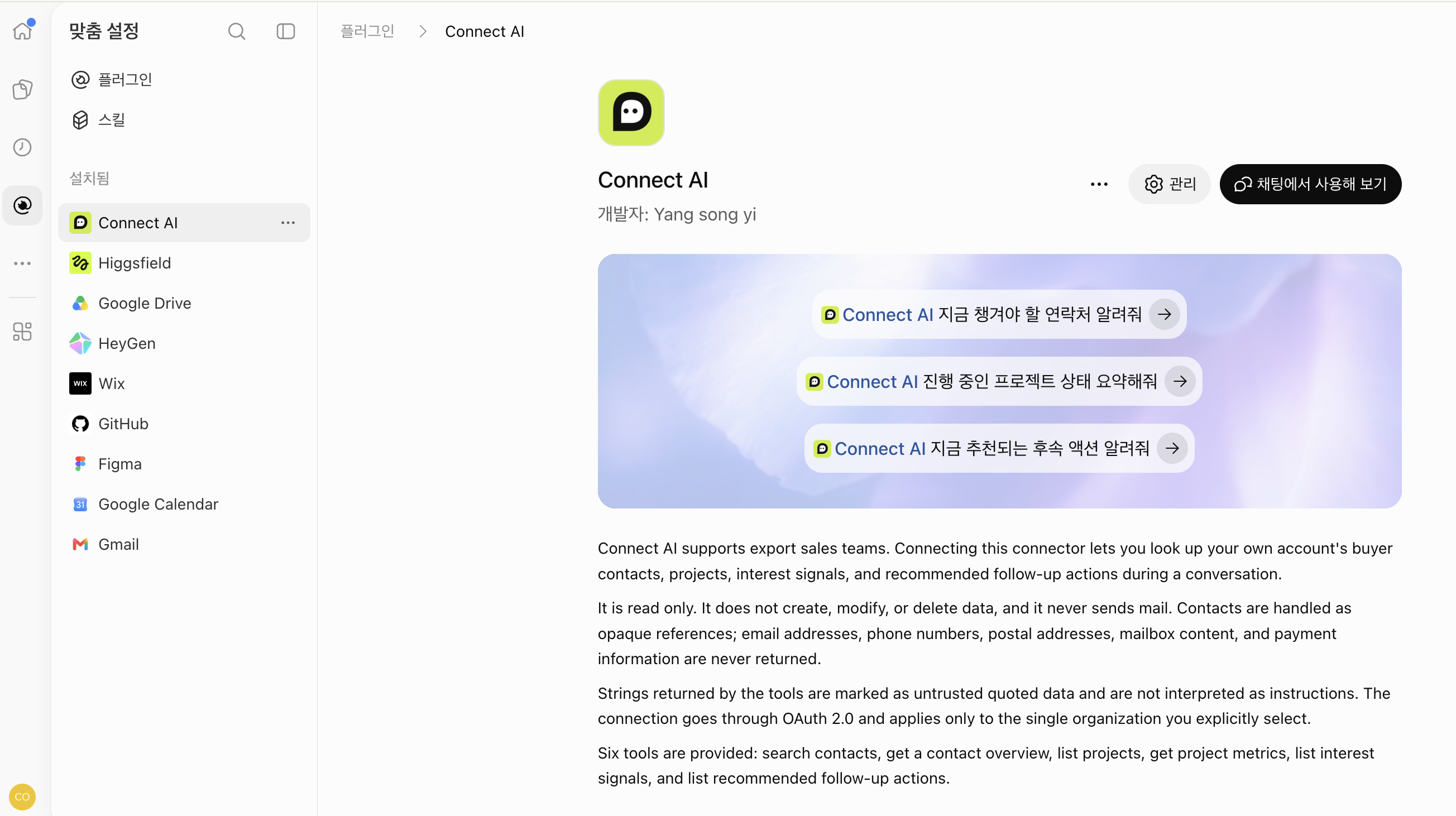
Connect AI selected in the plugins list · Korean original screen.
- 01
Find Connect AI
Search for Connect AI in ChatGPT’s plugins or apps list and open its details.
- 02
Connect your account and company
Follow the connection instructions, sign in to Connect AI, and choose the company whose information you want to review. Check the requested access on the authorization screen.
- 03
Ask your first question
Once connected, select Connect AI in a conversation and ask about your buyers or current projects.
Menu names and connection availability can vary with your account and workspace settings.
The connection introduced here provides read-only access.
It retrieves buyer information, projects, interest signals and suggested follow-ups. It does not send email or create, edit or delete data. Direct contact details such as email addresses and phone numbers are not returned in responses.
Privacy policy